Features
The Team Schedule App That Always Knows Who's Coming
A team schedule app puts every game, practice, and tournament on one shared calendar, then answers the question the calendar alone can't: who is actually coming? Rizzler does both. You enter the season once; families see it in the app built for them and in their own phone calendars; players and parents RSVP Yes, No, or Maybe with a note; and when something changes, everyone finds out by email and text instead of a frantic group chat. It works for any youth sports team, from a single rec squad to a multi-team club, on the web and in the coach, player, and parent apps.
If you want the quick visual tour, the schedule and attendance page walks through it screen by screen. This page covers how each piece works.
One schedule for games, practices, and tournaments
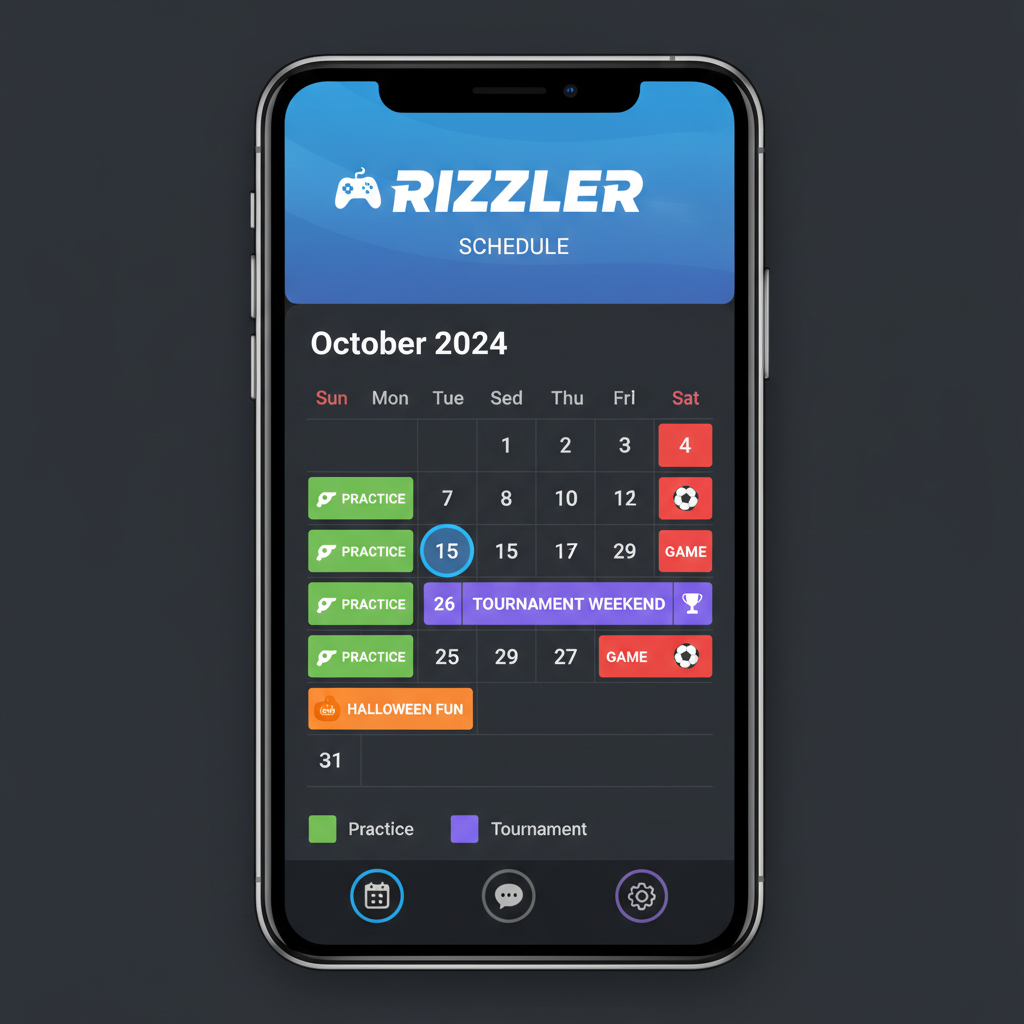
The schedule is the home base of the season. You add games, practices, scrimmages, and tournament dates with time, location, and opponent, and that single calendar becomes the source of truth for everyone connected to the team. A 16-game rec season takes about twenty minutes to enter; a travel or club season grows week by week as tournaments land.
Two habits pay off no matter the sport. First, enter practices, not just games, because availability requests go out for practices too, and knowing Tuesday will be nine kids changes how you plan it. Second, treat the calendar as the only place changes happen. Don't announce a new time in a text thread and update the schedule later; edit the event and let the update carry the news. Our step-by-step guide, how to make a team schedule, covers the full setup.
Real-time schedule updates, no reload
When the schedule changes, the change should be everywhere at once. On the Coach and Club plans, Rizzler syncs in real time: edit a game time on your laptop and it updates instantly in the coach, player, and parent apps, with no page refresh and no waiting for an overnight sync. The stale-schedule problem, where a parent checks the app and sees last week's version, is one of the most common complaints coaches report about older tools, and it's the specific thing real-time sync eliminates.
One schedule, four views: coach, player, parent, and web
Everyone connected to the team sees the same schedule through the view built for them. Coaches manage the season from the web app or the coach app. Parents get a parent view that keeps the family's games and practices on their phone, which matters most in two-household families and multi-kid weekends. Players see their own week and respond for themselves in the player app. And the web app works for all three, so nobody is forced to install anything to see where to be Saturday.
If your team is coming from a shared spreadsheet or a group chat, the guide on sharing your team schedule with parents shows how to move families over cleanly.
RSVP with Yes, No, or Maybe, plus a note
Every event on the schedule collects availability. Players and parents answer Yes, No, or Maybe in one tap and can attach a short note, like "running 15 minutes late" or "leaving after game two," which is often the difference between a headcount and a plan. Older players can RSVP for themselves through the player app or the website, so a 14-year-old's availability stops routing through a parent's phone.
Availability and RSVP are included on every plan. You see responses for each game and practice at a glance, and on Coach and Club the list updates the instant a status changes, so a player who drops out two hours before the game shows up on your screen two hours before the game. For practical ways to use RSVP data, see how to reduce no-shows at practice.
Attendance tracking and reporting
RSVPs answer "who's coming tonight?" Attendance reporting answers the season-long questions: who has been at every practice, whose attendance is slipping, and what the real participation picture looks like when it's time to talk about playing time. Rizzler records responses across the season so you can review patterns instead of reconstructing them from memory, which keeps those conversations grounded in shared facts rather than impressions.
If you're currently tracking this in a notebook or spreadsheet, how to track attendance for a sports team compares the approaches and shows where an app saves the time.
Calendar sync with Google, Apple, and Outlook
Families live in their phone calendars, so the team schedule should show up there without anyone copying events by hand. Rizzler's Schedule Sync publishes your season to Google Calendar, Apple Calendar, and Outlook, and it also syncs to TeamSnap and SportsEngine for families mid-transition from another platform. Sync is included on every plan, and once it's set up, edits you make in Rizzler flow to every subscribed calendar.
The Google Calendar sync guide walks through setup for each platform, including subscribing on iPhone and Android.
Email and SMS alerts when the schedule changes
Rainouts, gym swaps, and moved start times are where team schedules break down, because the change happens fast and the news has to reach twelve families in an hour. In Rizzler, you edit the event once, and on the Coach and Club plans the change goes out to the whole team by email and SMS automatically. The updated event also flows to every synced calendar. Nobody drives to a flooded field or a locked gym because they missed one message in a 60-reply thread.
To be clear about what the product does: Rizzler doesn't pick the makeup date or negotiate with your league. You decide the new time, make one edit, and Rizzler handles telling everyone.
Built for youth sports teams, clubs, and leagues
For a single team, the free plan covers the essentials: the season calendar, calendar sync, and availability and RSVP for up to 15 players. The Coach plan adds real-time sync and the email and SMS notifications, and coaches running multiple teams can move to a larger-capacity plan from their Account page. Clubs and league organizations use the Club plan to run up to 20 teams and 300 players with the same scheduling system across the whole program, which is what most people mean when they search for youth sports scheduling software: one place where every team's calendar, availability, and attendance live.
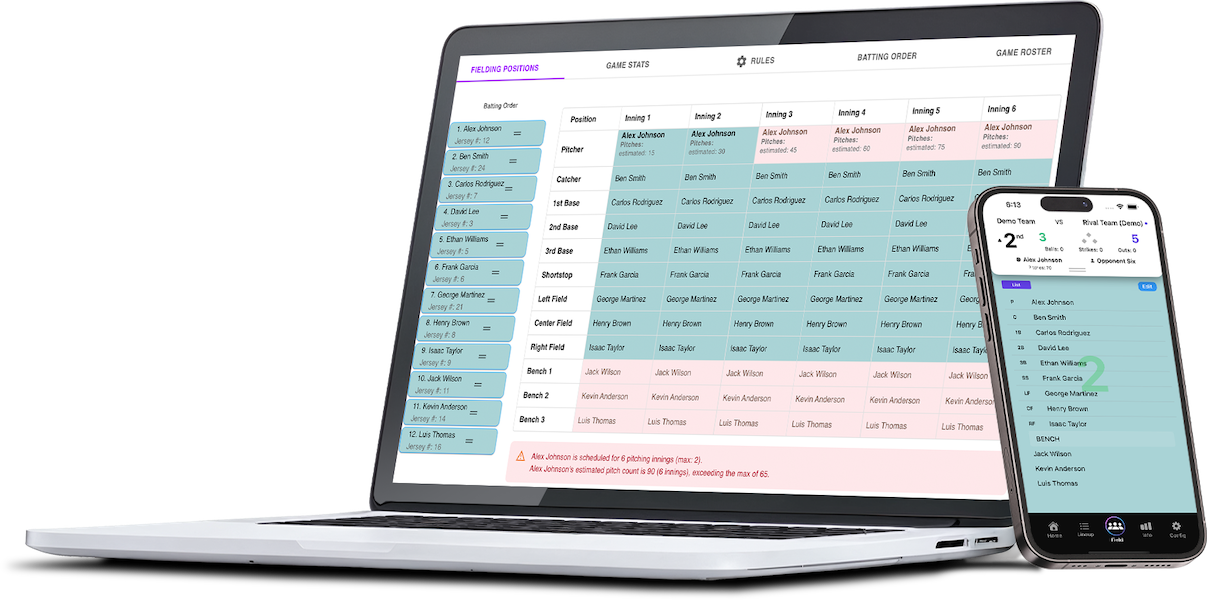
Scheduling is also just one piece of Rizzler. The same roster that answers your RSVPs feeds your lineups, game plans, and player development. See the full sports team management app overview for how it fits together, or the guide on organizing a youth sports team if you're starting from scratch.
Coaching a specific sport? We've built dedicated pages for how the schedule handles each season: the baseball team app for tournament weekends and rainout season, the softball team app for fastpitch tournament play, the soccer team app for fall and spring seasons, and the volleyball team app for club season.
Frequently Asked Questions
What is the best team schedule app?
The best team schedule app is the one that pairs the calendar with availability, because a schedule that can't tell you who's coming only does half the job. Look for four things: RSVP built into every event (Yes, No, Maybe, with notes), sync to the calendars families already use, automatic notifications when something changes, and separate views for coaches, players, and parents. Rizzler includes all four, with scheduling, calendar sync, and RSVP on every plan, including the free one.
How do I track attendance for my sports team?
Attach an RSVP to every game and practice, and let the app record the responses. In Rizzler, players and parents respond from their phones, you see the list for each event, and the season-long record shows attendance patterns across the year. That replaces the clipboard and the spreadsheet, and it gives you real data for playing time conversations.
Does the team schedule sync with Google Calendar and Apple Calendar?
Yes. Rizzler publishes your season to Google Calendar, Apple Calendar, and Outlook, plus TeamSnap and SportsEngine, on every plan. Once a family subscribes, schedule edits you make in Rizzler flow to their calendar automatically.
What happens when a game gets rained out?
You edit the event with the new date or mark the change, and Rizzler carries the news: the update flows to every synced calendar, and on the Coach and Club plans the whole team gets an email and a text automatically. Rizzler doesn't choose the makeup date for you, but it makes sure that once you do, every family knows within minutes.
Can parents and players RSVP, or only coaches?
Both. Parents respond for younger players from the parent app or the web, and older players can RSVP for themselves through the player app or the website. Every response, and any attached note, lands in the coach's availability view.
Is scheduling free in Rizzler?
Yes. Schedule management, calendar sync, and availability and RSVP are all included on the Free plan for one team with up to 15 players. Coach adds real-time availability sync and email and SMS change notifications; Club extends the same system across up to 20 teams.
Ready to put your whole season on one calendar and always know who's coming?
Talk to our team
Want to spend more time coaching and less time with paperwork? Let's talk.
Tell us about your team and we'll show you how to plan games, set lineups, run the schedule, and develop players in one place, so you spend the season coaching instead of chasing admin.
Less admin, more coaching
Plan games, set lineups, and track the season in one place
Keep every family in the loop automatically
Tell us about your program
4 fields · takes 30 seconds
Lands in the same inbox as the Help button · human response only
Read Next
What is Rizzler Sports?
FAQPlaying Time Fairness Across Your Little League
For LeaguesYouth Basketball Practice Plan: 60-Minute Sessions for Grades K-6
Basketball5-1 Serve Receive: All 6 Rotations, Diagrammed
VolleyballSports Team Management App: Your Whole Season in One Place
FeaturesHow to Build a Batting Order for 9U-10U Baseball
Learn