Features
Organization Dashboard for Leagues & Clubs
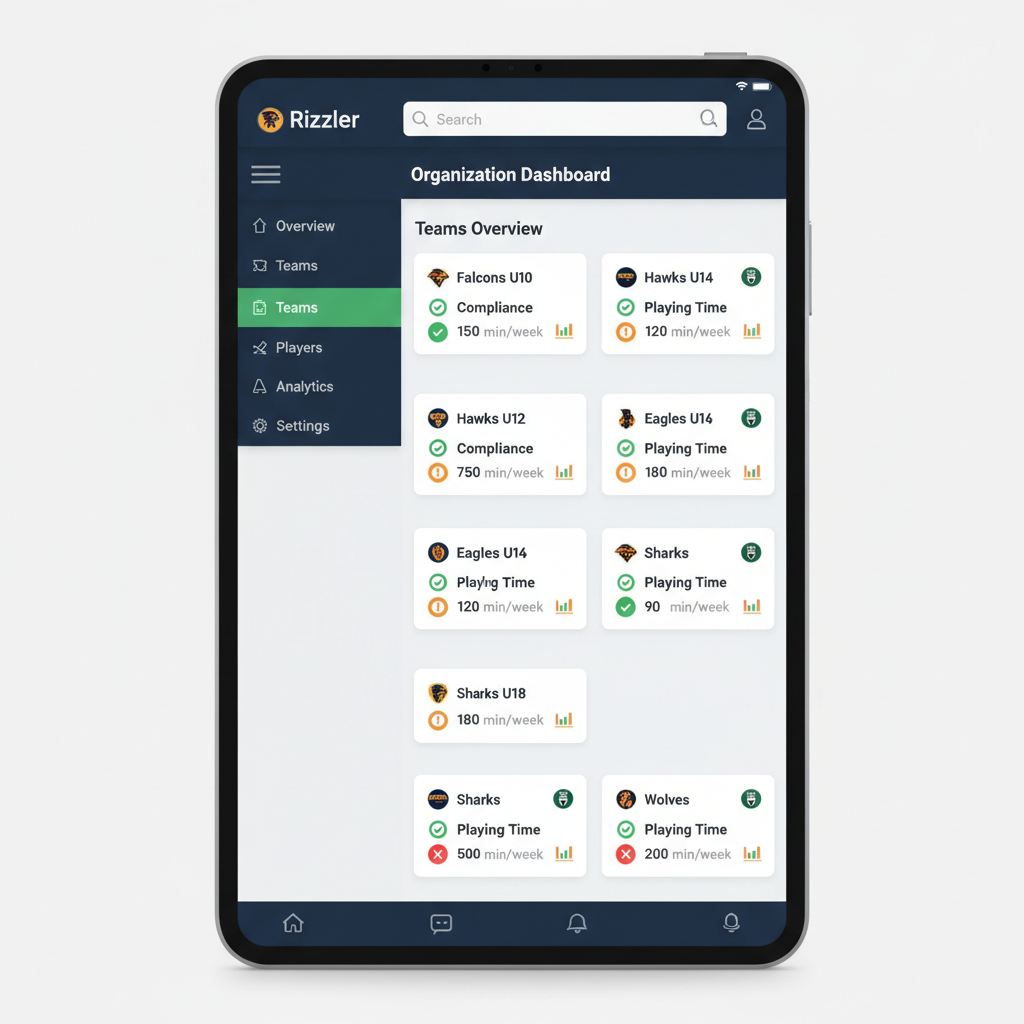
Rizzler's organization dashboard gives Little League boards, travel club directors, and facility operators a single screen to monitor every team in their organization: pitch counts, playing time records, rule compliance status, and coach activity. Instead of trusting 20 coaches to self-report, you see the data yourself.
What Is the Organization Dashboard?
The organization dashboard is the admin layer of Rizzler: the Workspace and user management surface where a league or club manages its teams and coaches, with more organization-wide features active on the Club plan. It's an area of the product that's actively growing. While individual coaches use Rizzler to plan games and track stats for their own team, the org view rolls that up so board members and directors can see every team's status without logging into each coach's account.
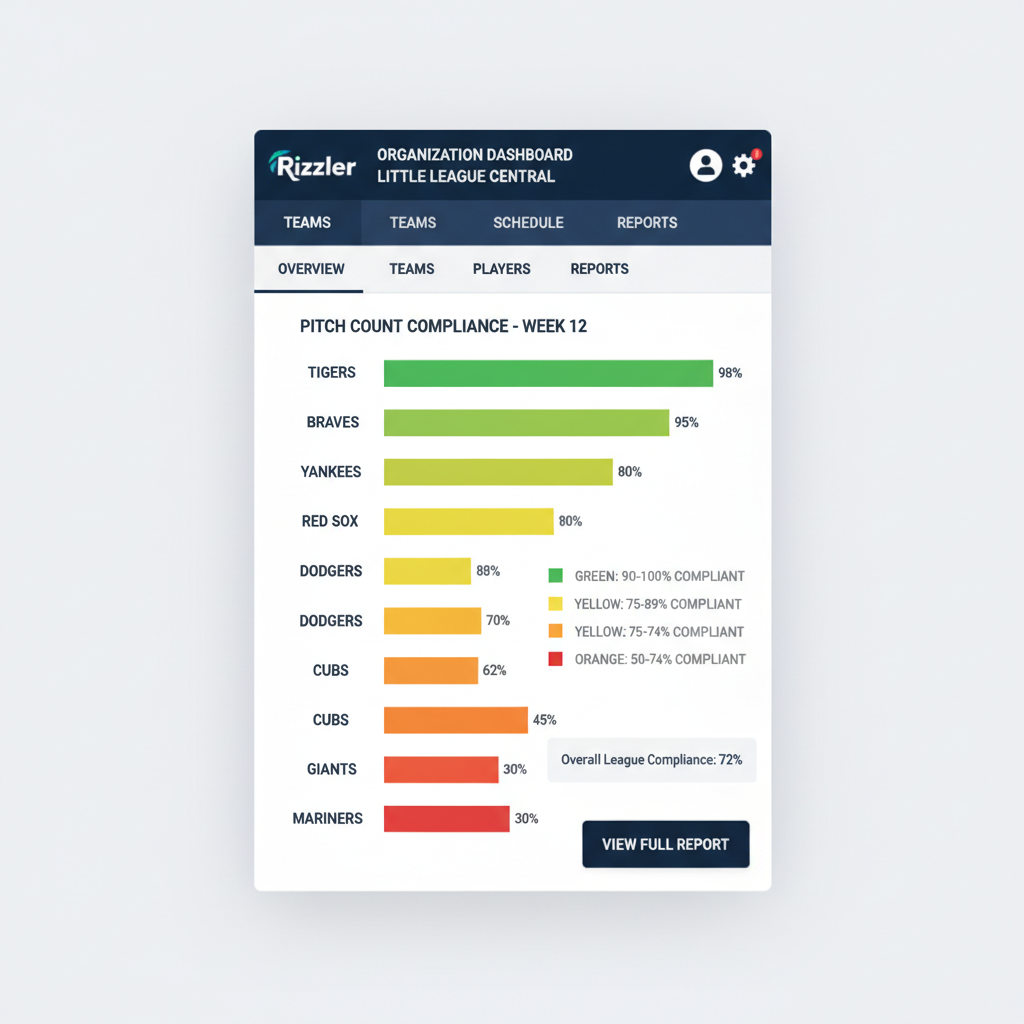
If a coach hasn't logged a pitch count in two games, you'll know. If playing time distribution is lopsided on a team, you'll see it. If a pitcher was used in violation of rest day rules, the dashboard flags it, often before anyone on that team realizes the mistake.
How the Organization Dashboard Works
Step 1: Set up your organization. Create your league or club in Rizzler, define your teams and age groups, and invite coaches to join.
Step 2: Coaches use Rizzler for their teams. As coaches plan games, score, track pitch counts, and manage playing time with Rizzler, their data feeds into the org dashboard automatically. No extra work for coaches.
Step 3: Monitor from one screen. The dashboard shows team-by-team summaries: games played, pitch counts logged, playing time distribution, rule compliance flags, and evaluation completion rates.
Step 4: Drill into any team. Click on a team to see detailed data: which players have the most and least playing time, which pitchers are approaching rest day thresholds, and whether the coach is using Rizzler's tools consistently.
Key Dashboard Views
| View | What It Shows |
|---|---|
| League overview | All teams, games played, overall compliance rate |
| Pitch count monitor | Every pitcher in the league: pitches thrown, rest status, compliance flags |
| Playing time report | Per-team and per-player playing time distribution across the season |
| Rule compliance | Teams with violations, near-violations, or missing data |
| Coach activity | Which coaches are actively using Rizzler, which haven't logged a game in weeks |
| Evaluation tracker | For evaluation events: which evaluators have completed their assessments |
The Organization Dashboard for Little League Boards
You oversee 20 teams and 200 families. Last season, a coach pitched a kid on insufficient rest and your league forfeited a playoff game. Another coach played the same nine kids every game and three families complained to the board.
With the organization dashboard, both of those situations show up as flags before they become problems. Pitch count compliance across every team, playing time distribution down to the inning, and clear documentation if a parent ever challenges a coach's decisions. Your board has the data. Learn more about Rizzler for leagues.
The Organization Dashboard for Travel Clubs
Your club runs six teams across three age groups. Each head coach plans independently. Some are data-driven, some still use whiteboards. You have no visibility into whether your 12U coach is developing all 14 kids or riding the same nine every weekend.
The org dashboard gives you that visibility without micromanaging. See which coaches are using game planning and tournament planning tools. Check playing time across your 14U team heading into a showcase. Make sure every coach in your club is running a professional operation. Learn more about Rizzler for clubs.
Frequently Asked Questions
Can coaches see the organization dashboard?
No. The org dashboard is visible only to administrators, meaning league presidents, commissioners, board members, and club directors. Coaches see their own team data. Admins see all teams.
Does the dashboard work if only some coaches use Rizzler?
Yes, but you'll get the most value when every coach in your organization uses Rizzler. The dashboard shows data for any team that's actively using the app. Teams that aren't using Rizzler show as "no data," which is itself useful information for a board.
Is the organization dashboard available on the Coach plan?
No. The organization dashboard is exclusive to the Club plan. It's designed for organizations managing multiple teams, not individual coaches.
Can I export dashboard data for board meetings?
Game plans can be exported and printed to share. Broader dashboard exports are not available yet; for board updates, most directors pull the numbers from the dashboard view directly.
How does the dashboard handle multiple age groups?
You can filter by age group (8U, 10U, 12U, etc.) or view all teams at once. Most league admins filter by division for regular-season monitoring and view all teams for end-of-season reporting.
The organization dashboard is included in the Club plan. Start free with a single team and see how the coaching tools work before rolling Rizzler out organization-wide.
Overseeing a league or club? Our team can walk your board through the dashboard.
Talk to our team
Running a league? Let's talk.
Tell us about your league and we'll show you how to bring every team up to one evaluation standard and see the whole picture from the organization dashboard, usually within one business day.
One evaluation standard across every team
Evaluation days and drafts with consistent, comparable scores
League-wide visibility in the organization dashboard
Tell us about your program
4 fields · takes 30 seconds
Lands in the same inbox as the Help button · human response only
Read Next
Coaching Philosophy: Examples and How to Write Yours
LearnTryout Evaluation Form: Free Template and How to Use It
LearnHow to Reduce No-Shows at Practice
LearnRizzler vs iScore: Coaching App Comparison
ComparisonVolleyball Serve Receive: Patterns by Rotation and System
VolleyballFree Coaching Templates: Lineup Cards, Eval Forms & More
Resources